
Download Pop Up Stopper Free Edition – ad blocker, pop‑up blocker, free tool
Overview
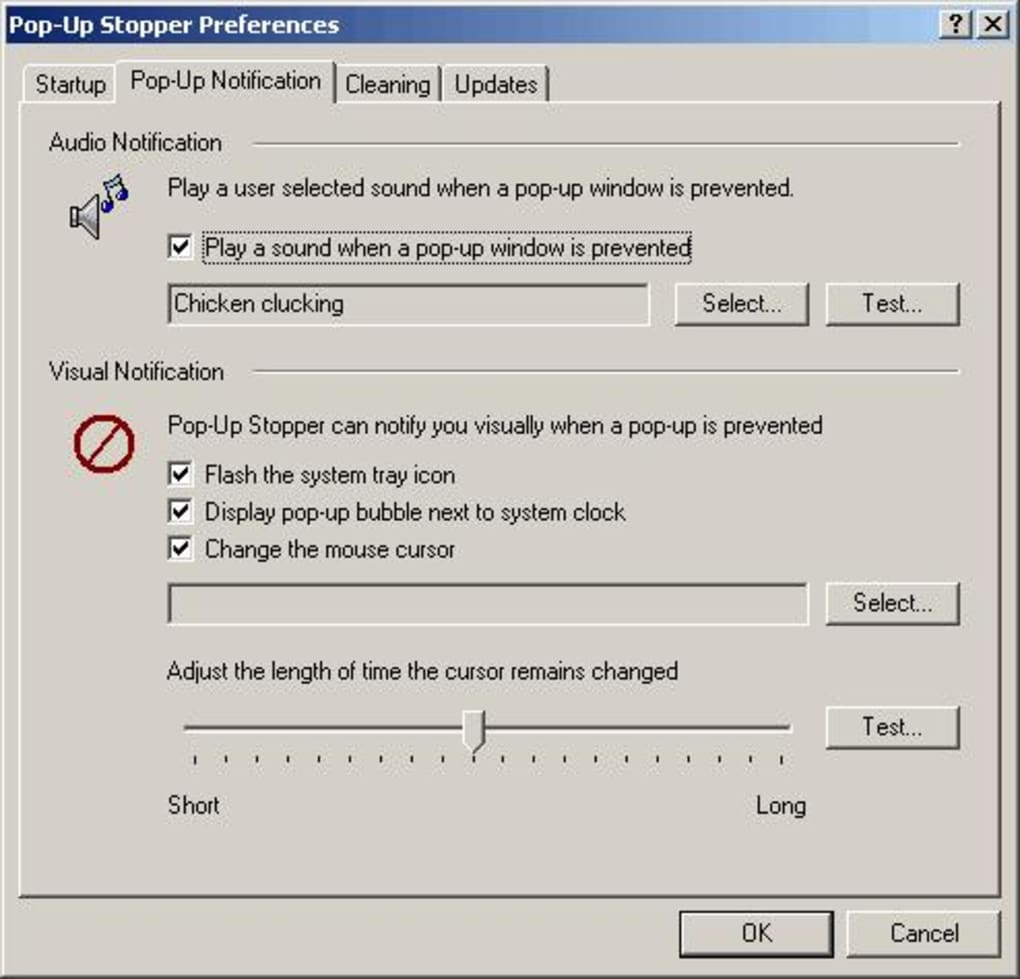
Pop‑Up Stopper Free Edition is a lightweight, stand‑alone ad‑blocking utility designed to put an end to intrusive pop‑up windows that disrupt everyday web surfing. Unlike browser extensions that require a specific platform, this tool runs quietly in the system tray and intercepts pop‑up scripts before they can launch a new window. The interface is intentionally minimal – a simple tray icon with a right‑click menu gives you instant access to core functions such as a privacy report, update checks, and an enable/disable toggle.
Because it works at the operating‑system level rather than inside a browser, it protects every browser you use, whether it’s Chrome, Edge, Firefox, or even older Internet Explorer installations. The free edition offers all essential blocking capabilities without a time‑limited trial, making it an attractive choice for users who need a “set‑and‑forget” solution. While newer competitors often rely on browser plug‑ins, Pop‑Up Stopper’s independent design means it does not add overhead to your browser’s performance, and it continues to work even if you switch browsers mid‑session.
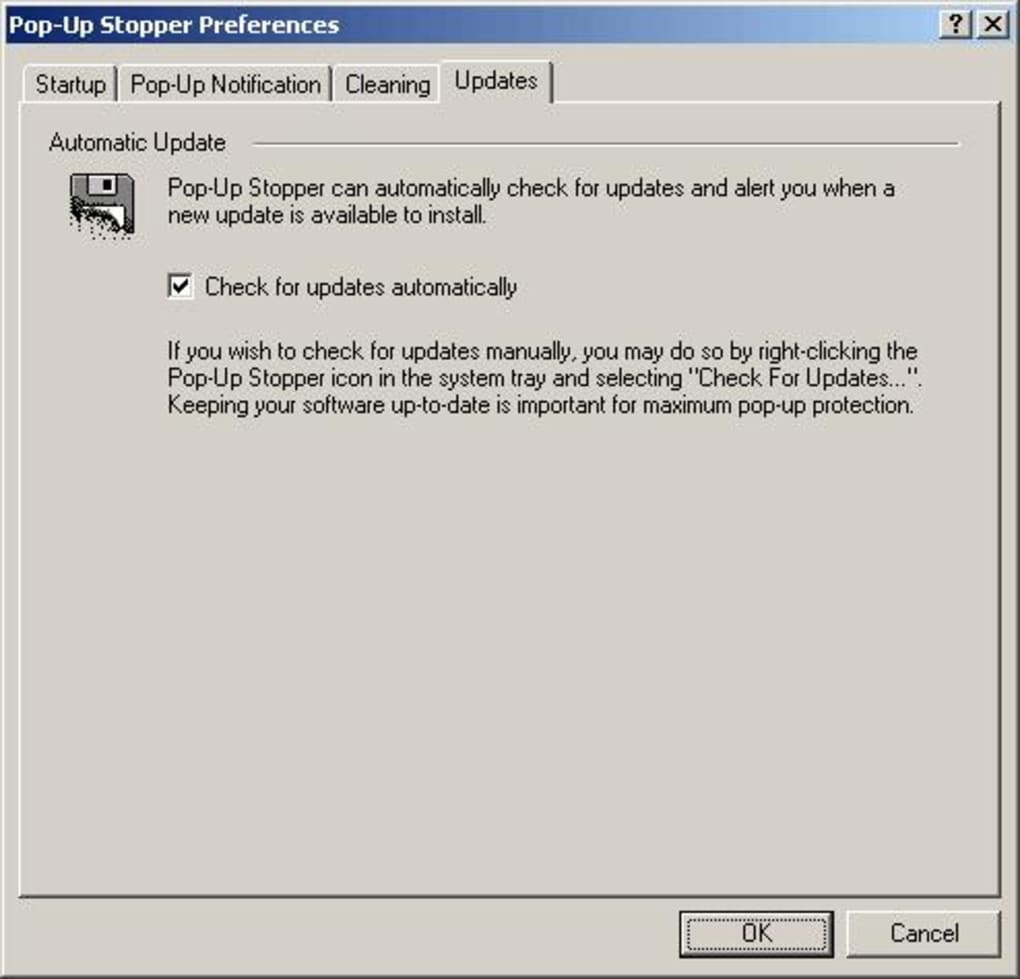
The software is updated automatically when you open the context menu, ensuring that new pop‑up techniques are quickly neutralized. Overall, Pop‑Up Stopper Free Edition restores a clean, distraction‑free browsing experience while keeping your system resources low.
Key Features and Simple Installation
Feature List
- Real‑time detection of pop‑up scripts across all installed browsers.
- System‑tray operation – invisible unless you need it.
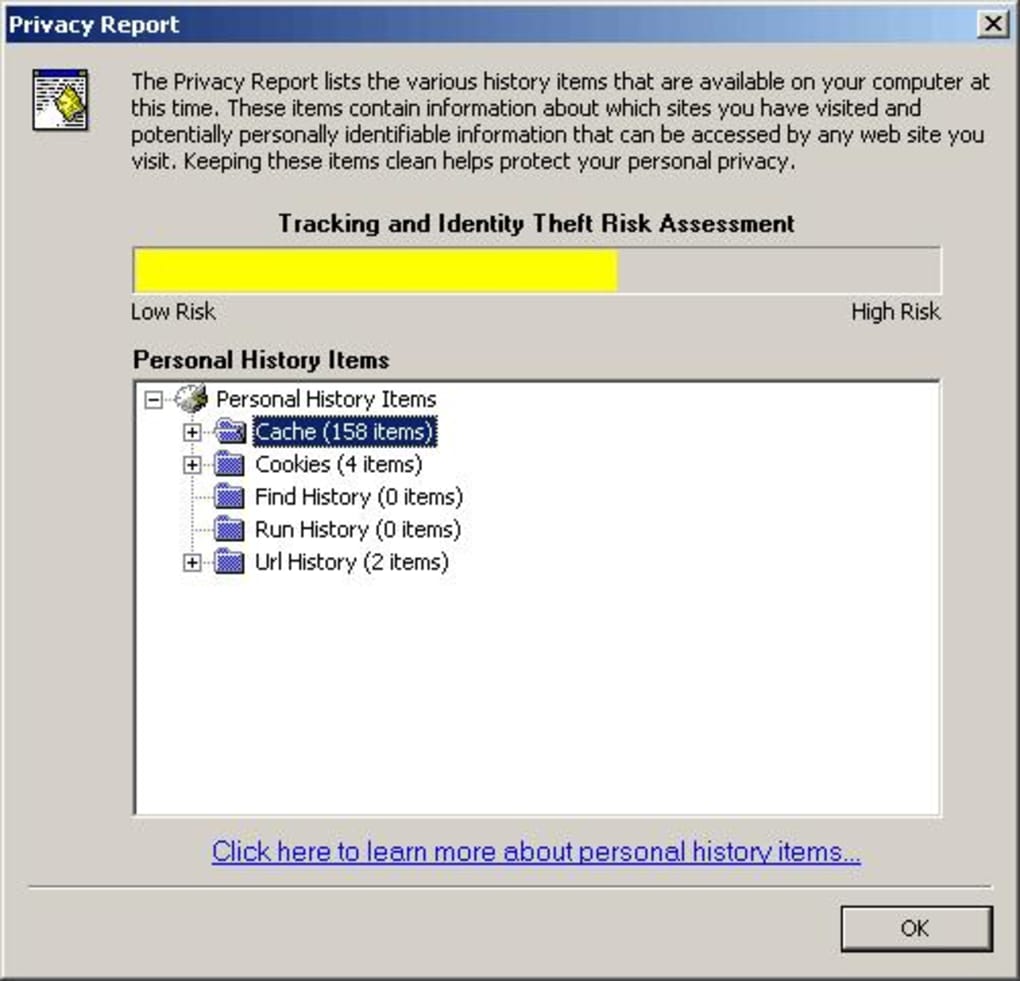
- Privacy Report that logs blocked pop‑ups for later review.
- One‑click enable/disable toggle for quick testing.
- Automatic background updates to stay ahead of new ad techniques.
- Zero‑cost free edition with no hidden trial period.
- Lightweight footprint – uses less than 5 MB RAM when idle.
- Compatibility with Windows 7, 8, 10, and 11 (32‑bit & 64‑bit).
Installation & Usage Instructions
Installing Pop‑Up Stopper Free Edition is straightforward and takes only a few minutes. Begin by downloading the installer from the official website (the link is provided at the end of this review). Once the file is saved, double‑click the .exe to launch the wizard. Follow the on‑screen prompts: accept the license agreement, choose the installation folder (the default location works for most users), and click “Install.” After the files are copied, the program automatically adds a small icon to the system tray next to the clock.
To start blocking, simply right‑click the tray icon and select “Enable Pop‑Up Stopper.” The tool will begin monitoring network traffic for pop‑up calls immediately. If you need to view which ads have been blocked, choose “Privacy Report” from the same menu – a compact window will list the URLs and timestamps of each intercepted pop‑up. Should you encounter a website that relies on legitimate pop‑ups (for example, a login window), you can temporarily disable the blocker by selecting “Disable” and re‑enable it once you’re done. Updates are handled the same way: the right‑click menu includes an “Check for Updates” option that downloads and installs the latest version without requiring a full reinstall.
Compatibility, Pros & Cons
Pop‑Up Stopper Free Edition is built specifically for the Windows operating system. It supports Windows 7, 8, 10, and 11 in both 32‑bit and 64‑bit configurations. While there is no native macOS or Linux version, advanced users can run the Windows binary under Wine on macOS or Linux, though performance may vary. Mobile platforms such as Android and iOS are not covered because the tool relies on desktop‑level network hooks that are unavailable on mobile operating systems.
Pros
- Works across all browsers without needing separate extensions.
- Minimal impact on system performance – stays in the background.
- Free forever, no hidden subscription fees.
- Provides a clear privacy report for transparency.
- Simple one‑click enable/disable for troubleshooting.
Cons
- Limited to Windows; no native macOS or Linux version.
- Interface is functional but not visually polished.
- Advanced pop‑up techniques used by some modern sites may require a complementary browser extension.
- No granular whitelist for individual sites (all‑or‑nothing approach).
- Future compatibility depends on continued updates from the developer.
FAQ & Final Thoughts
Is Pop‑Up Stopper Free Edition safe to install?
Yes. The software is digitally signed, does not contain malware, and only accesses network traffic to block pop‑ups. It does not collect personal data beyond the optional privacy report, which you can disable at any time.
Can I use Pop‑Up Stopper alongside other ad‑blockers?
Absolutely. Because it operates at the OS level, it can complement browser‑based extensions like uBlock Origin. Just be aware that duplicate blocking may occasionally cause a site to misbehave, in which case you can temporarily disable one of the tools.
Will the free edition receive regular updates?
The developer commits to quarterly updates for the free edition, addressing new pop‑up scripts and fixing occasional bugs. An automatic “Check for Updates” option lets you stay current without manual downloads.
How does Pop‑Up Stopper affect browser speed?
Because it blocks pop‑ups before they reach the browser, it actually reduces the amount of rendering work a browser has to do. Users typically notice a slight improvement in page load times, especially on ad‑heavy sites.
What should I do if a website stops working after enabling the blocker?
Right‑click the tray icon and select “Disable” for a few minutes, then reload the page. If the site works, you can re‑enable the blocker and use the “Whitelist” option (available in the paid version) to allow pop‑ups only on that domain.
In summary, Pop‑Up Stopper Free Edition delivers a no‑frills, effective solution for anyone fed up with unwanted pop‑up windows. Its system‑wide coverage, tiny resource footprint, and forever‑free pricing make it a solid choice for Windows users seeking a reliable ad‑blocking companion. While the lack of native macOS support and a more polished UI may turn some power users toward modern browser extensions, the core functionality remains robust and trustworthy. If you want a hassle‑free way to reclaim your browsing experience, click the download link below and start blocking pop‑ups instantly.
Free – Download Pop‑Up Stopper Free Edition now
Pop‑Up Stopper Free Edition lives up to its promise of eliminating intrusive pop‑ups without slowing down the browser. The pros—system‑wide protection, minimal RAM usage, and a transparent privacy report—outweigh the cons, which are primarily limited platform support and a basic UI. For Windows users who need a set‑and‑forget blocker, this tool is a clear winner.
Pros
- All‑browser coverage
- Zero cost
- Low resource usage
Cons
- Windows‑only
- No advanced whitelisting in free version







